Screen Time for Toddlers: Why Creative-Only Apps Win When You Need a Screen
The Barefoot Bub may earn a commission from links on this page. We choose products independently.
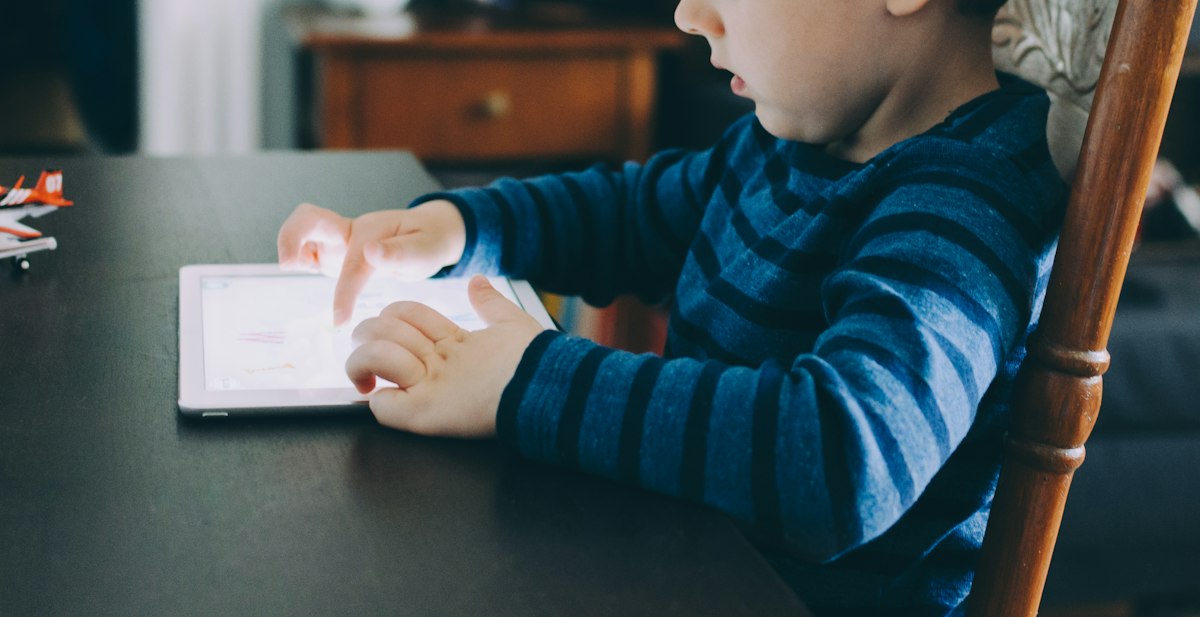
Most toddler days don't need a screen at all, but some do, like a five-hour flight, a delayed connection, or a long wait at the doctor's office. When that happens, the kind of screen time matters more than the minutes. A creative-only app, where your child makes something instead of watching something, is the calmest and most useful option you can hand over.
Most toddler days don't need a screen at all, but some do, like a five-hour flight, a delayed connection, or a long wait at the doctor's office. When that happens, the kind of screen time matters more than the minutes. A creative-only app, where your child makes something instead of watching something, is the calmest and most useful option you can hand over.
This isn't a lecture about screens. We're a family that would rather be on a trail than on a tablet, and we still pack an iPad for flights. Below is what the guidance actually says, why open-ended creative apps are different from autoplay video, and the quiet drawing app we keep coming back to for travel days.
The honest truth about toddlers and screens
The American Academy of Pediatrics suggests avoiding screens other than video chat before about 18 months. For children ages 2 to 5, it recommends keeping screen use to roughly an hour a day of high-quality content, ideally with a grown-up nearby. The World Health Organization lands in the same place for ages 2 to 4: no more than an hour, and less is better.
Notice what those guidelines don't say. They don't say a screen on a plane ruins anything, and they don't treat every minute on a device the same. The bigger picture is what fills the rest of the day: outside time, messy play, books, conversation, and sleep. If those are in place, a well-chosen app on a travel day is just a tool, not a failure.
Not all screen time is equal: passive vs. creative
Researchers and pediatricians increasingly separate passive screen use from active use, and you can feel the difference as a parent.
- Passive screens do the work for your child. Autoplay video, fast cuts, constant sound effects, and "one more episode" design keep attention by stimulating it. The meltdown when the screen goes away is often a sign of that overstimulation.
- Reward-loop apps look interactive, but they're built around stars, coins, timers, and pop-ups that pull kids back in. The child is responding to the app, not leading it.
- Creative-only apps flip that. A blank canvas does nothing until your child does something. They choose the colour, make the mark, decide when it's finished. There's no level to beat and no reward to chase.
Open-ended creative play builds the same muscles as crayons on paper: fine motor control, cause and effect, colour recognition, and the confidence of "I made this." It also tends to end more gently, because there's no cliffhanger. When the drawing is done, it's done.
When screens earn their place: travel, flights, and waiting rooms
Travel takes away nearly everything that helps a toddler regulate. They're strapped in, the space is tiny, the noise is constant, and the schedule is off. Crayons roll under seats, sticker books run out, and snacks only last so long.
That's exactly when a screen makes sense, and exactly when the wrong one backfires. A loud, flashy game can wind a tired toddler up just as the cabin lights go down. A calm creative app does the opposite: it gives restless hands a job and keeps the volume at zero for the people in the next row.
A few other times a creative-only screen can help:
- Long car rides once the window-spotting games run out
- Waiting rooms, hospital visits, and long appointments for a sibling
- Sick days when energy is low and you need a quiet hour
- Restaurants, when you'd like to finish a meal together
What to look for in a quiet app for toddlers
The team at The App Audit put together a useful checklist in their guide to quiet apps for planes with a toddler. Their four criteria are a great starting point:
- Silent. No music or sound effects that need headphones (which many toddlers refuse to wear).
- Offline. Fully working without Wi-Fi, because plane Wi-Fi is unreliable at best.
- Low-light friendly. A dark mode or dim canvas that won't light up the cabin on a night flight.
- No reward loops. Nothing that nags, times out, or interrupts your child.
We'd add three more for little ones:
- No ads and no account. Nothing to sign up for and nothing selling to your child.
- A parent gate. Settings, purchases, and sharing should be out of reach of curious fingers.
- Truly open-ended. The best apps are closer to a box of markers than a game.
Our pick: Dabble, a quiet drawing app for toddlers
The app that ticks every box for us is Dabble, a simple, distraction-free drawing app for toddlers ages 2 to 4 on iPad and iPhone. Its own tagline sums up the idea nicely: "Give them a canvas, not a screen."
Dabble: Drawing App for Kids
Dabble is just a canvas and a set of markers. There are twelve bright markers plus seven "Magic Markers" that glitter and glow, with adjustable brush sizes. The canvas is dark by default, so colours glow and the screen stays dim on a night flight, and there's a light mode for daytime. Little fingers work fine, and so does an Apple Pencil or stylus for older toddlers.
Our favourite details are the ones you don't notice. There are no ads, pop-ups, or reward loops. The menu only opens with a long press, so a toddler can't wander into settings, and sharing, purchases, and external links all sit behind a parent gate. It doesn't need an account or an internet connection, drawings stay on the device, and every canvas saves automatically with a playful name like "Sparkly Dino."
Dabble is free to download and keeps up to three saved canvases. The optional Dabble Pro upgrade adds unlimited canvases, sharing, custom colours, and more, as a monthly, yearly, or one-time lifetime purchase.
Get Dabble on the App Store →We're not the only ones who think so. In its roundup of quiet apps for planes, The App Audit named Dabble its top pick, calling it "silent by design, works offline, and its Dark Mode won't disturb the passengers around you on a night flight." Their runner-up, Khan Academy Kids, is a lovely free learning app, but it has audio, so it works better on daytime flights with toddler headphones.
How to make screen time work on the go
A great app helps, but how you use it matters just as much. These are the habits that make travel-day screens feel calm rather than chaotic:
- Download and test at home. Install apps on Wi-Fi before you leave and let your toddler try them once, so the first time isn't at 30,000 feet.
- Save it for when you need it. Start with the low-tech kit (stickers, board books, snacks, window spotting) and bring out the screen when the restlessness really hits.
- Turn on dark mode as the lights dim. It's kinder to tired eyes and to your neighbours.
- Sit with them for the first few minutes. Ask about the drawing. "Tell me about that purple swirl" turns screen time into connection time.
- Make a clear ending. A creative app makes this easier. "Let's finish this picture and give it a name, then we'll put it away."
- Trade the screen for the outdoors on landing. Plan a playground stop, a walk, or a hunt for leaves and rocks once you arrive. Moving bodies reset faster than anything else.
Screens don't have to be the enemy of an outdoorsy childhood. On the days you need one, choose the kind that lets your child create, keep it quiet, and then head back outside.
Frequently Asked Questions
Add these picks to your The Barefoot Bub registry
Build your outdoor childhood kit with everything we recommend.
Start Your Registry